SIGNAL
DStv
How to Check Your DStv Signal Strength
Your decoder will tell you how healthy your signal is — if you know where to look and which of the two numbers actually matters. Here is how to read it, what your dish should be pointing at, and why a phone compass will send you the wrong way.
Where to find the signal screen
You do not need any tools to see what your decoder is receiving. Every DStv decoder exposes a diagnostics screen, and on the Explora it is reached from the remote.
Press the DStv button to open the menu, then go to Settings. MultiChoice’s own Explora quick guide lists what sits under that menu: User Preferences, Parental Control, System Settings and Satellite Settings. Satellite Settings is where the dish and signal information lives.
If your menu looks different
Menu wording moves between decoder models and software versions, and MultiChoice does not publish an on-screen menu tree for the older HD decoders. If you cannot see it straight away, look for anything named Signal, Dish, Installation or Diagnostics. What you are looking for is a screen showing two separate measurements.
The two numbers, and why only one really matters
This is the part that trips almost everyone up, and getting it the right way round will save you a wasted callout.
Signal strength
Strength tells you how much energy is arriving at the tuner. It largely reflects whether the LNB is powered and the cable is intact. Here is the catch: a cable that is disconnected at the dish end can still show a respectable strength reading, because the tuner is measuring noise along with signal. Strength on its own proves very little.
Signal quality
Quality tells you how much of that energy is actually usable data from the satellite. This is the number that decides whether you get a picture. If quality is low you get pixelation, freezing or an error message, no matter what strength says.
The single most useful diagnostic on the whole screen
Healthy strength with poor or zero quality is the classic signature of a dish sitting slightly off the satellite, or an LNB that has failed. If you see that combination, the problem is almost certainly outside at the dish, not inside at the decoder.
Why digital satellite fails suddenly rather than gradually
Analogue television degraded politely — a weak signal just looked grainy. Digital satellite does not behave that way. The DVB-S2 standard that DStv uses is designed around a threshold: above it, error correction delivers what the standard calls "Quasi Error Free" reception; below it, the picture collapses.
ETSI, the standards body that publishes DVB-S2, defines that target as "less than one uncorrected error-event per transmission hour" for a typical television service. The practical consequence is the cliff edge every installer knows: a marginal installation looks perfect on a clear day and drops out entirely in the first serious weather, because there was never any margin in hand.
Why this guide does not quote you a target percentage
Search for this topic and you will find plenty of South African pages confidently telling you to aim for a specific signal strength and quality percentage. We went looking for the official source of those numbers and could not find one.
MultiChoice’s published Explora and HD decoder guides document the menu, the dish size and the LNB type. They do not publish a numeric target for the on-screen strength and quality readouts, and acceptable values legitimately vary between decoder models and transponders.
So here is the honest version
Rather than a number, use the behaviour. Watch the quality reading for thirty seconds or so. What you want is a figure that sits high and stays steady. A reading that swings around while nothing is being touched points to a marginal connection, water in a joint or a failing LNB — even when the number itself looks acceptable. Note what it reads on a clear day so you have a baseline to compare against in six months.
Where your dish actually has to point
DStv in South Africa is carried from the orbital slot at 68.5° East. Two satellites are co-located there: Intelsat 20, and Intelsat 36, which was built specifically to carry MultiChoice’s Ku-band direct-to-home payload and launched to join it at the same position.
Because the satellite is geostationary, the direction never changes. From anywhere in South Africa it sits to the north-east, and the angle above the horizon depends on where in the country you are. The further south and west you go, the lower it sits.
| City | Azimuth (true north) | Elevation | Compass reading (magnetic) |
|---|---|---|---|
| Johannesburg | 62.6° | 36.1° | about 83° |
| Pretoria | 62.9° | 36.4° | about 83° |
| Durban | 57.0° | 36.5° | about 85° |
| Bloemfontein | 61.9° | 33.0° | about 86° |
| Gqeberha | 59.0° | 29.9° | about 90° |
| Cape Town | 65.0° | 24.3° | about 92° |
Look angles to 68.5°E, calculated from standard geostationary pointing geometry and cross-checked against a published azimuth/elevation calculator. Use them to sanity-check a dish position, not as a substitute for peaking on a meter.
Why Cape Town installations are less forgiving
At roughly 24° elevation a Cape Town dish sits noticeably flatter than one in Durban at 36°. A lower look angle means the signal travels a longer slanted path through the atmosphere, which leaves less margin in heavy rain. It is the same reason a marginal install shows up sooner in the Western Cape.
The compass trap almost everyone falls into
This is the single most useful thing on this page, and it is where most do-it-yourself alignment goes wrong.
The azimuth figures above are measured from true north. A magnetic compass — including the one in your phone — points to magnetic north, and in South Africa the difference is large. Magnetic declination across the country runs roughly 20° to 31° west.
Apply that and the numbers change character completely. A Johannesburg dish at 62.6° true is around 83° on a compass: not north-east at all, but very nearly due east. Someone lining a dish up to "north-east" on a phone compass will end up around twenty degrees off the satellite — which, on a signal that has a cliff edge, is the difference between a working installation and a blank screen.
- If you are using a compass or a phone app, use the magnetic column in the table above, not the true azimuth.
- If you are using a satellite-finder app that overlays the satellite on your camera view, it has already handled the declination — trust the overlay, not the raw bearing.
- Either way this only gets you approximately on target. Approximately is exactly the alignment that fails in the first storm.
Can you check DStv signal with your phone?
Partly — and it is worth being precise about what a phone can and cannot do, because a lot of people search for this expecting more than is possible.
What a phone genuinely helps with
A satellite-finder app uses the compass and camera to show you roughly where the satellite sits in the sky. That is genuinely useful for one thing: establishing whether a tree, a wall, a new extension or a neighbour’s roof is sitting in your line of sight. Stand at the dish, point the phone along the path, and you can see immediately whether anything is in the way.
What a phone cannot do
It cannot measure your signal. It has no connection to your dish, your cable or your LNB. It knows where the satellite is; it knows nothing about whether your installation is receiving it. Aligning a dish with an app alone gets you close, and close is not the same as peaked.
Peaking a dish properly means a meter connected to the cable, moving the dish in small increments and watching the reading rather than the sky. That is what puts margin in the system.
Rain fade: why a storm takes your picture away
Losing the picture during a heavy downpour is normal for satellite television, and it has a name: rain fade, or rain attenuation. Raindrops absorb and scatter the microwave signal on its way down, and the effect gets worse as frequency rises. DStv broadcasts in the Ku band, which is squarely in the range where it matters.
This is well-characterised engineering rather than folklore. The International Telecommunication Union publishes the standard prediction method for it, Recommendation ITU-R P.618, used worldwide to design earth-space links.
There is also excellent South African measurement. A study published in the SAIEE Africa Research Journal measured rain attenuation on a 12.6 GHz satellite television link fed from Intelsat 20 at 68.5°E, recorded at the University of KwaZulu-Natal in Durban. The researchers noted that attenuation "becomes especially severe at frequencies of 5 GHz and above", and that beyond about 10.7 dB of attenuation the link was "completely squelched".
The paper also frames the design goal in a way that is useful for householders: links are planned to be available for at least 99.99% of the year, which allows a fade margin corresponding to roughly 87.6 hours of outage annually in the worst case.
What this means for your installation
Brief dropouts in a genuine downpour are physics, not a fault. Signal that goes in light rain, or that never fully recovers after a storm, is a different matter — that means the installation had little margin to begin with, or the storm shifted the dish or let water into a connector.
Working through low signal quality, in order
Start at the decoder and work outwards, because the cheap causes are also the most common.
- Check the cable at the decoder. Finger-tight, and the centre pin straight rather than bent or pushed back. Loose F-connectors account for an enormous share of the callouts we attend.
- Bypass any splitter or extra point. Connect the decoder straight to the main cable temporarily. Splitters and poor joints degrade quality quietly and are easy to rule out.
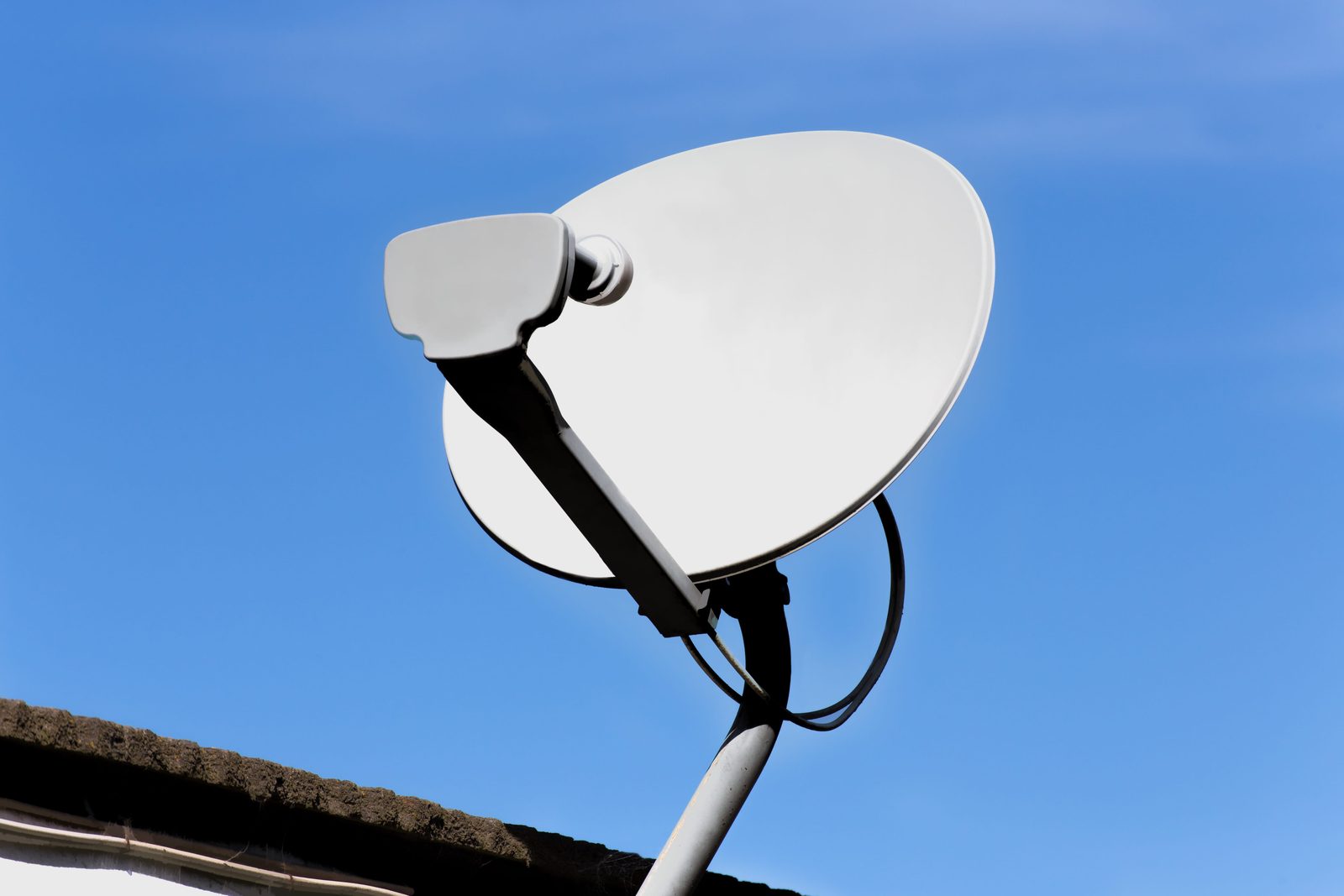
- Look at the dish from the ground. You are checking for anything obviously wrong: a dish visibly hanging or rotated, a loosened bracket, cable that has come away from its clips or is chafing, or new growth in the line of sight.
- Consider the weather and the timing. Heavy rain reduces quality temporarily and it returns. A drop that started after a storm and never recovered is a shifted dish, a water-damaged LNB or damaged cable.
- Check whether it affects all channels or some. Whole-transponder losses point at alignment or the LNB; a single channel group behaving differently is worth mentioning when you book.
Please do not climb up to the dish
Most dishes are on pitched roofs, often two storeys up, and people are seriously injured every year trying to nudge one back into position. There is also a practical problem: you cannot see the decoder screen from the roof, so people move the dish until something appears and leave it marginally off. That is the alignment that fails a season later.
What your dish and LNB should actually be
If you are diagnosing a persistently marginal installation, it is worth confirming the hardware is what MultiChoice actually specifies, because a surprising number of underperforming installs are simply under-specified.
| Decoder | Dish | LNB |
|---|---|---|
| DStv Explora | 90 cm satellite dish | DStv Smart LNB |
| DStv HD Decoder (6S) | 80 cm satellite dish | Single LNB (not supplied) |
As published in MultiChoice’s own Explora quick guide and HD decoder quick start guide.
MultiChoice is explicit about why this matters. Its Explora guide warns that "if your DStv Explora is installed with any other type of LNB, the installation may require changes to receive future services", and states the underlying principle plainly:
The performance of the DStv Explora and availability of all features is directly related to the quality of the installation (including use of approved equipment and correct alignment of the satellite dish).
What the LNB actually does
The LNB — low-noise block downconverter — is the device on the arm at the front of the dish. It receives the very low-level microwave signal the dish concentrates on it, amplifies it, and converts it to a much lower frequency band that can travel down ordinary coaxial cable to the decoder. Your decoder controls it down the same cable, using supply voltage and a 22 kHz tone to select polarisation and frequency band.
That is why LNB faults produce such odd symptoms: an LNB failing on one polarisation can take out half your channels while leaving the rest perfect. If that sounds familiar, our guide to the five signs an LNB is failing covers what to look for.
Common mistakes
- Reading strength instead of quality. Strength can look healthy on a completely disconnected dish.
- Using a magnetic bearing as a true bearing. Worth 20–31° of error in South Africa — more than enough to lose the satellite entirely.
- Aligning by watching the on-screen bar. The screen updates with a lag and you cannot see it from the roof. This is how dishes end up peaked on a sidelobe rather than the satellite.
- Assuming rain dropouts mean a faulty installation. Brief loss in a real downpour is expected. Loss in light rain is not.
- Adding splitters to feed extra rooms. Satellite does not split like an aerial signal. Extra viewing points need the right LNB and cabling — see how Extra View actually works.
- Ignoring a slowly worsening reading. Corrosion and water ingress are gradual. A baseline reading taken on a clear day is the only way to notice.
When it is genuinely a technician job
If quality is low or unstable and the connections at the decoder are sound, the fault is almost always at the dish end: alignment, the LNB, or the outdoor cable and its connectors. All three need someone on the roof with a meter, and all three are routine work for someone who does them daily.
What you should expect from that visit is a measured result, not a shrug. We align on a meter, record the final reading and show it to you before we leave, so you have evidence the job was done properly rather than approximately. If the underlying problem is a recurring signal fault or a complete loss of signal, that measurement is also what tells you whether the dish, the LNB or the cable is at fault.
Sources & references
- MultiChoice / DStv. DStv Explora Quick Guide — menu path to Settings and Satellite Settings, the 90 cm dish and Smart LNB specification, and the statement linking Explora performance to installation quality
- MultiChoice / DStv. DStv HD Decoder (6S) Quick Start Guide — 80 cm dish and single LNB specification, and the LNB input connection
- Satbeams. Intelsat 20 (IS-20) satellite record — confirms the 68.5°E orbital position and Ku-band payload
- SpaceNews. Intelsat to Contract New Satellite for South Africa’s MultiChoice — reports Intelsat 36 as co-located with Intelsat 20 at 68.5 degrees east, with its Ku-band payload leased to MultiChoice
- SAIEE Africa Research Journal (via SciELO South Africa). Rain attenuation measurements on a 12.6 GHz satellite link in Durban — peer-reviewed South African measurement of Ku-band rain fade on a link fed from Intelsat 20 at 68.5°E
- International Telecommunication Union. Recommendation ITU-R P.618-14: Propagation data and prediction methods for Earth-space telecommunication systems — the international standard method for predicting rain attenuation
- ETSI. ETSI EN 302 307-1 (DVB-S2) — defines the Quasi Error Free reception target that produces the digital cliff edge
- Satellite Signals Ltd. LNB explanation and description — how an LNB amplifies and downconverts the signal, and how the decoder selects band and polarisation
- SatLex. Azimuth and elevation calculator for 68.5°E — used to cross-check the calculated look angles in the table above
Look angles in this guide were calculated from standard geostationary pointing geometry and cross-checked against a published calculator. Where MultiChoice publishes no official figure — notably a target signal percentage — this guide gives none rather than repeating an unsourced number.
FAQs
DStv signal: your questions
What people ask us most about reading and fixing satellite signal.
Still not sure?
Send a photo of your dish, decoder or TV on WhatsApp. We can often tell you what’s wrong before we get in the van.
WhatsApp a photoWhat is a good DStv signal quality percentage?
We deliberately do not publish a target number, because MultiChoice does not publish one either and acceptable values vary between decoder models and transponders. What matters more than the figure is its behaviour: quality should sit high and stay steady while you watch it. A reading that drifts or swings while nothing is being touched indicates a marginal connection or a failing LNB even when the number looks fine.
Why is my signal strength high but quality zero?
That combination almost always means the dish is pointed slightly off the satellite, or the LNB has failed. Strength can read high simply because the LNB is powered and the cable is intact — it does not confirm you are actually receiving the satellite. Quality is the number that confirms that, so good strength with no quality points firmly outside at the dish.
Which satellite does DStv use in South Africa?
The orbital slot at 68.5 degrees East. Two co-located satellites serve it: Intelsat 20, and Intelsat 36, which was built to carry MultiChoice Ku-band direct-to-home capacity and placed at the same position. Because the slot is geostationary, your dish points at a fixed spot in the sky that never changes.
Which direction should my DStv dish point?
North-east, at an elevation that depends on your city — roughly 36 degrees in Johannesburg, Pretoria and Durban, about 33 in Bloemfontein and about 24 in Cape Town. Be careful with a compass: South Africa has 20 to 31 degrees of westerly magnetic declination, so a magnetic compass reads close to due east for a dish that is correctly aligned.
Does rain really affect DStv signal?
Yes, and briefly losing the picture in a heavy downpour is normal for satellite television. Rain absorbs and scatters the Ku-band signal, an effect the ITU publishes a standard prediction method for. What is not normal is signal that goes in light rain, or that never fully recovers after a storm — both mean the installation has less margin than it should.
Can I align the dish myself?
We would rather you did not, for two reasons. The fall risk on a pitched roof is real and injuries happen every year. Beyond that, a dish cannot be peaked accurately without a meter connected to the cable, so a by-eye adjustment usually leaves you marginally off target and working only until the next storm. It is a short job for someone with the right equipment.

Next step
Want it measured properly?
We align on a meter, show you the final reading, and quote a fixed price before we start. Same-day across Gauteng.